Limited-time offer: 20% off Geomagic Design X Go perpetual licences until December 30, 2026. Get your quote
Geomagic Design X Go · Limited-Time Offer

Geomagic Design X Go
Now 20% Off Until December 30

Design X Go is the entry-level edition of Geomagic Design X, the reverse engineering software engineers use to turn 3D scans into CAD models. Until December 30, save 20% on a perpetual licence, quoted in Canadian or US dollars, with free virtual training included.

Applies to new end-user perpetual licences ordered by December 30, 2026. Not available on subscription licences.
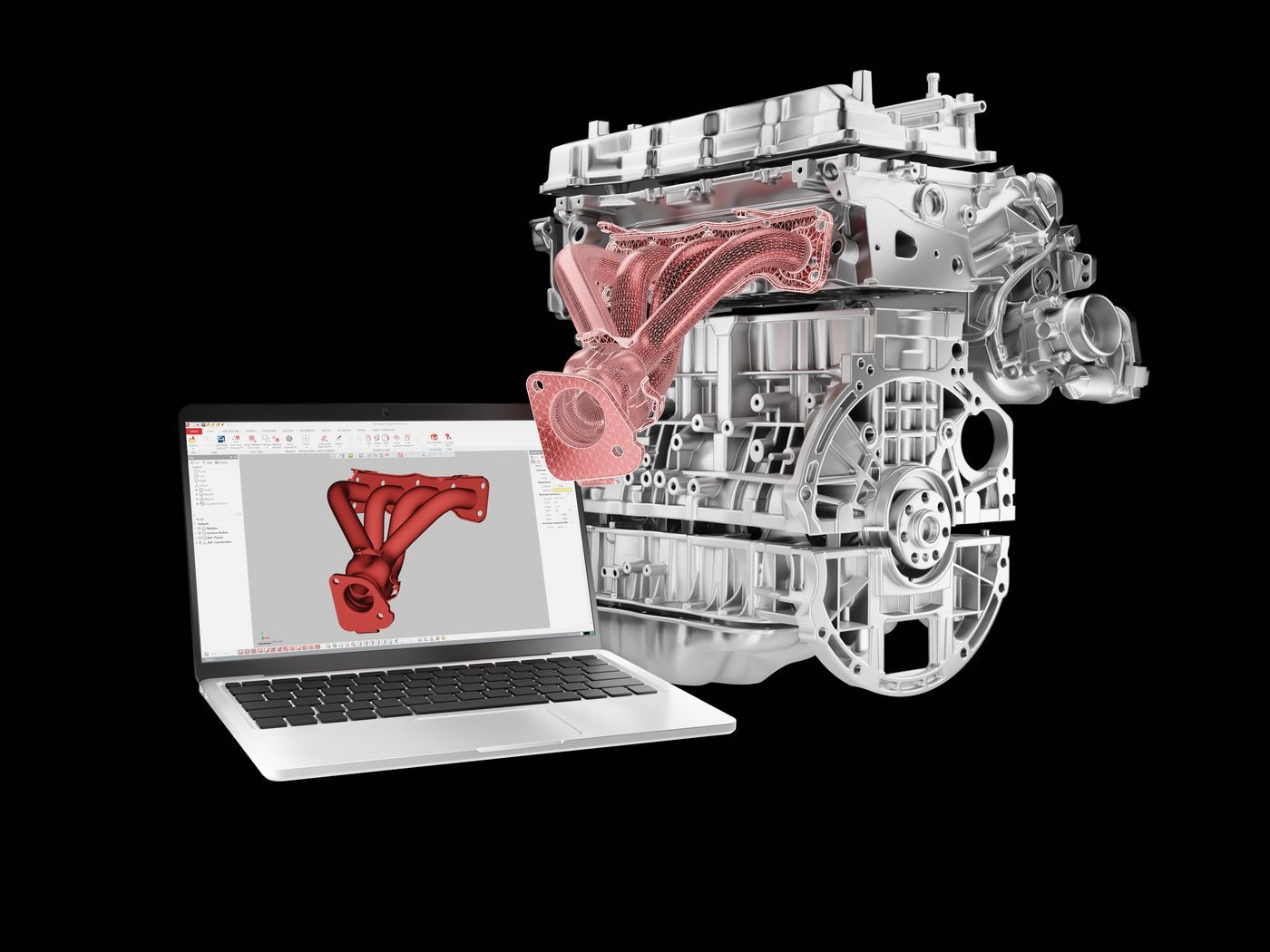
Geomagic Design X reverse engineering an engine exhaust manifold from a 3D scan into a CAD model on a laptop
Geomagic Design X software box
20% off
Design X Go perpetual licence
Free
Virtual training included
CAD / USD
Quoted in either currency
Dec 30
Offer ends December 30, 2026
Who Go Is For

Affordable Reverse Engineering Software for Real Parts

Design X Go gives you the core Geomagic Design X reverse engineering toolset at an entry-level price, without paying for tools you will not use. It is the right fit when reverse engineering is part of the job, not the whole job.

You Reverse Engineer Sometimes

Replacement parts, fixtures, tooling and legacy components with no drawings. Go handles the everyday scan-to-CAD work without the cost of the full Pro toolset.

You Own a Handheld Scanner

Go connects directly to handheld scanners from Creaform, Shining 3D, ScanTech, Hexagon and others, and imports scan data from any scanner.

You Want to Start Small and Grow

Go is the same Design X software as Plus and Pro. When your work grows, upgrade pricing means the licence you buy now counts toward the next tier.

What Is Included

What Geomagic Design X Go Includes: Scan to CAD, Start to Finish

Bring in the scan, clean it up, build a solid model and send it to your CAD platform. Design X Go covers the full path for most mechanical parts.

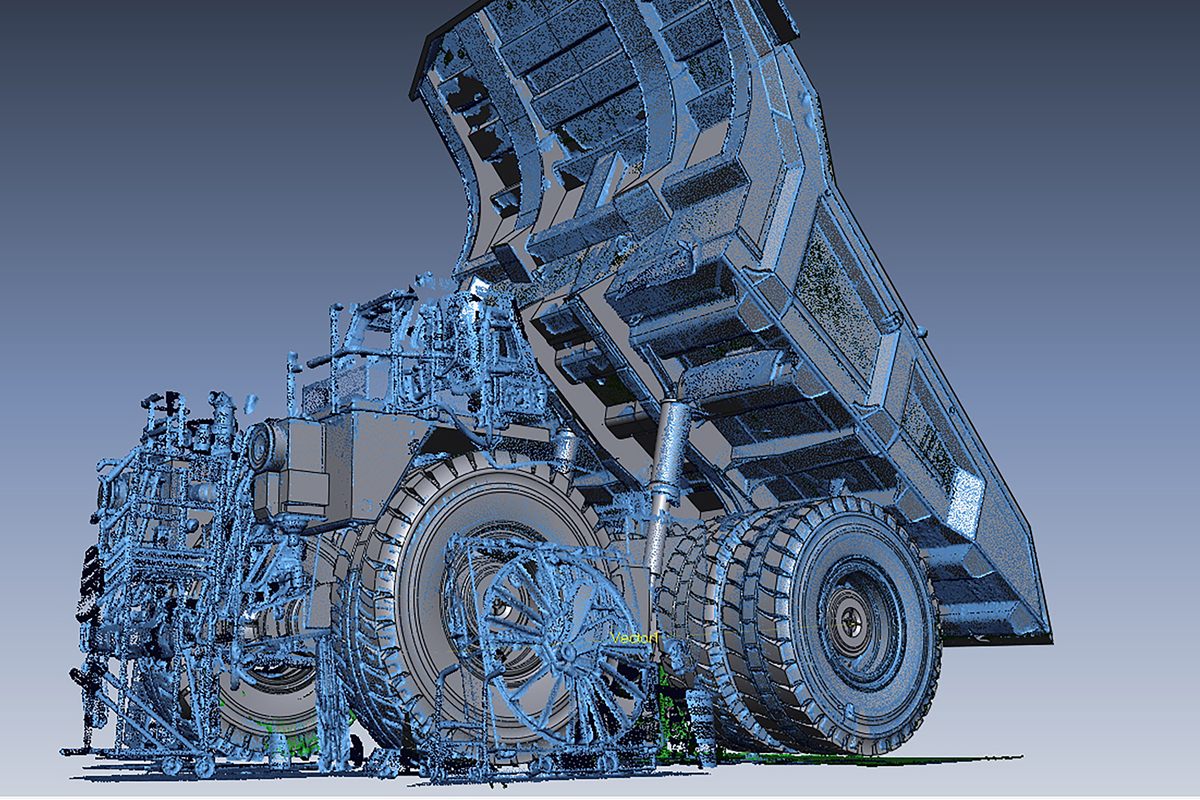
Mining haul truck reverse engineered from a 3D scan into a CAD model in Geomagic Design X
From point cloud to CAD: a mining haul truck in Geomagic Design X.

Bring In and Clean Up Scan Data

  • Import point clouds, meshes (STL and more) and native scanner formats
  • Direct control of handheld and portable scanners
  • Healing Wizard, fill holes and remesh
  • Align scans, merge, decimate and filter noise

Build the CAD Model

  • Mesh sketches and 2D sketches with dimensions and constraints
  • Extrude, revolve, sweep and loft solids and surfaces
  • Cut, Boolean, fillet and chamfer
  • Mesh fit and Auto Surface for organic shapes

Check It and Hand It Off

  • Measure distance, angle and radius on the scan
  • Mesh deviation and Accuracy Analyzer checks against the scan
  • Export STEP, IGES, STL and DXF
  • LiveTransfer to SOLIDWORKS, Inventor, NX, Creo and AutoCAD
Go, Plus or Pro

Design X Go vs Plus vs Pro: When Go Is Enough

Go covers core scan-to-CAD. If your parts need advanced surfacing, probing or automation, Plus or Pro may be the better buy, and we will tell you so before you order.

CapabilityGoPlusPro
Extrude, revolve, sweep and loft solidsYesYesYes
Shell, thicken and solid offsetNoYesYes
SurfacingAuto Surface and mesh fitAdds selective Auto Surface and surface editingAdds patch fitting, boundary fit and solidify
Scanner direct controlHandheld and portable scannersAdds arms, trackers and structured lightAdds arms, trackers and structured light
Probing and LiveCaptureNoYesYes
Modelling wizards and AutoSketchNoNoYes
Native CAD import and exportNoNoYes
LiveTransfer to SOLIDWORKS, Inventor, NX, Creo, AutoCADYesYesYes
Geomagic supportEmail, installation and licensing, 3 business daysPhone, remote and workflow support, 1 business dayPhone, remote and workflow support, 1 business day
This offer is for Design X Go. Not sure Go is enough for your parts? Tell us what you scan and which CAD platform you use, and we will recommend the right tier, even if it is not the one on sale. See the full Geomagic Design X overview.
Why Buy Go from OptimumARC

The Licence Gets You Started. We Get You Productive.

Geomagic support for Design X Go covers installation and licensing. It does not cover how to model your parts. That is the gap we fill, in Canada, led by a professional engineer.

Included with Design X Go from Geomagic

  • Email support for installation and licensing
  • First response within three business days
  • Knowledge base access
  • Complimentary virtual training on new licences during this offer

Available from OptimumARC

  • Help choosing the right tier before you buy
  • Hands-on Design X training on your own parts and scan data
  • Scan-to-CAD workflow setup for your scanner and CAD platform
  • Canadian quotes, invoicing and a team you can call
Questions

Geomagic Design X Go Price and Offer Questions

How much does Geomagic Design X Go cost in Canada?

Design X Go is the lowest-priced edition of Geomagic Design X. Until December 30, 2026, a perpetual licence is 20% off. Because the price depends on the exchange rate and the number of licences, we quote in Canadian or US dollars, usually within one business day.

Where can I buy Geomagic Design X Go in Canada?

OptimumARC sells Geomagic Design X Go, Plus and Pro licences in Canada, with Canadian invoicing, training and workflow support. Request a quote on this page or book a call.

Who qualifies for 20% off Design X Go?

The offer applies to new end-user perpetual licences of Geomagic Design X Go ordered by December 30, 2026. It does not apply to subscription licences.

Can I get my quote in US dollars?

Yes. We quote in Canadian or US dollars, whichever suits your purchasing, with the 20% already applied.

Is Design X Go a different program from Design X Pro?

No. Design X has one installer. Your licence decides whether it runs as Go, Plus or Pro, so moving up later does not mean learning new software.

Can I upgrade from Go to Plus or Pro later?

Yes. Geomagic offers upgrade pricing from Go to Plus or Pro, so the licence you buy now counts toward the upgrade. We confirm the current upgrade terms in your quote.

Which scanners work with Design X Go?

Go can control handheld and portable scanners directly, including Creaform portable scanners, Shining 3D, ScanTech, Hexagon handheld scanners and Konica Minolta Range. It also imports point clouds and meshes from any scanner. Direct control of arms, trackers and structured light scanners needs Design X Plus or Pro.

What support comes with Design X Go?

Geomagic support for Go is by email and covers installation and licensing, with a first response within three business days. Every new licence under this offer also includes complimentary virtual training. We offer hands-on Design X training and workflow support in Canada on top of that.

Can I try Design X Go before I buy?

Yes. The Design X trial runs the full feature set. We can set one up for you and show you exactly which tools are included in Go.

Claim the Offer

Get Your Design X Go Quote at 20% Off

Tell us a little about your work. You will get a quote in Canadian or US dollars with the discount applied, typically within one business day.

Pay by card, PO or bank transfer. Card payments are made through a secure Stripe link sent with your quote.

We respond within one business day. Your information is covered by our Privacy Policy.

What Happens Next
  • 1
    We check Go fits your parts If Plus or Pro would serve you better, we tell you before you spend anything.
  • 2
    You get a quote in Canadian or US dollars Usually within one business day, with the 20% already applied. Pay by card through a secure Stripe link, or by PO or bank transfer.
  • 3
    Order by December 30, 2026 Leave time for your purchasing process. The discount ends on that date.
Not sure Go is enough? Tell us what you scan, or compare Go, Plus and Pro.
OR
Book a Software Quote Call →
P.Eng-led 17+ Years Canadian-based Quotes in CAD or USD

Offer terms: 20% off new end-user perpetual licences of Geomagic Design X Go, ordered by December 30, 2026. Not available on subscription licences. Geomagic may change or end the offer without notice.
Get My 20% Off Quote